Languages and RTL
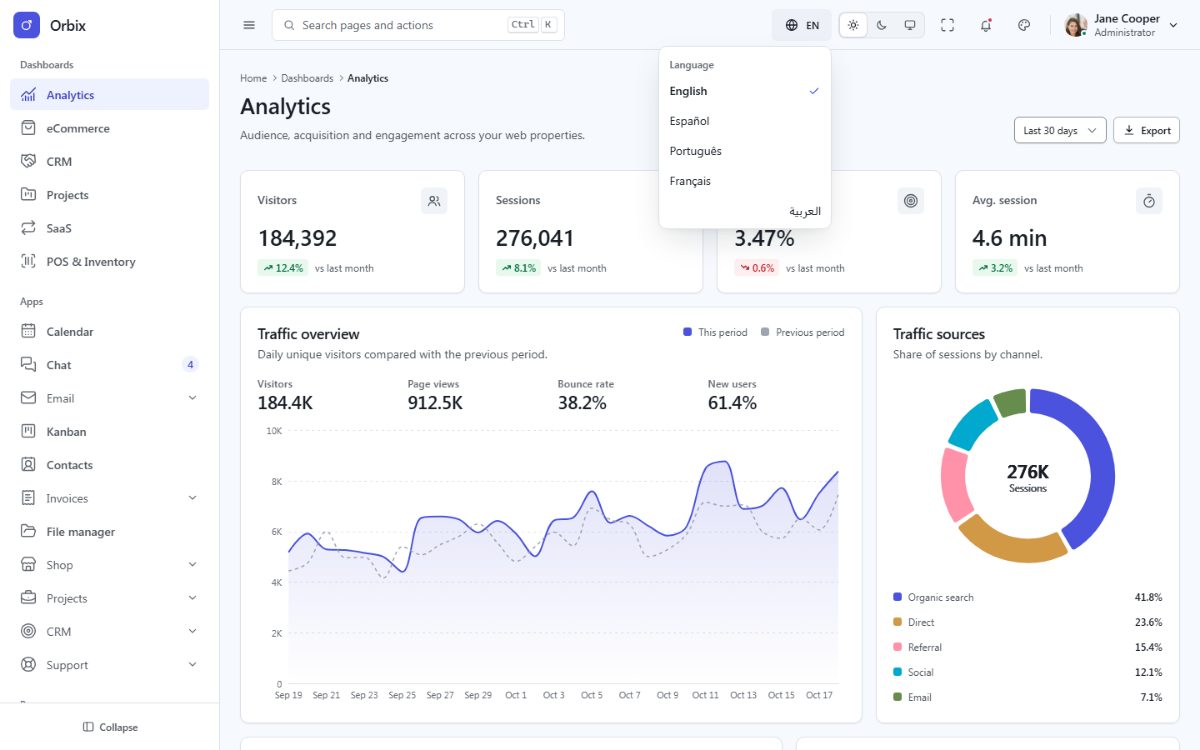
Orbix ships in English, Spanish, Portuguese, French and Arabic. Arabic switches the whole layout to
right-to-left. Numbers, currencies and dates are formatted for the active language with the browser Intl API.
How it works
- Translations live in
src/locales/<locale>/<area>.json(common.json,nav.json,dashboards.json...). A key is the file name plus the path inside it:common.actions.save. - The dictionaries are loaded with i18next and components read them with the
useI18n()hook (built on react-i18next), so the language menu re-renders the page instantly, without a reload. English is bundled (src/locales/index.ts): Next.js prerenders every page in English and the browser hydrates the same text; the saved language is loaded on demand right after, under the preloader.<html lang>anddirfollow the language:
const { t, fmt, lang } = useI18n();

<button type="button" className="fd-btn fd-btn--primary">
  <span className="fd-btn__label" data-i18n="common.actions.save">{t('common.actions.save')}</span>
</button>
<input className="fd-input" type="search" placeholder={t('common.actions.search')} data-i18n-attr="placeholder:common.actions.search" />
<span>{fmt('currency', 48290.5)}</span> {/* $48,290.50 · 48.290,50 US$ · ٤٨٬٢٩٠٫٥٠ US$ */}- The
data-i18nanddata-i18n-attrattributes are optional in your own components; the template keeps them so that markup created at runtime (data grids, page scripts, foundry-ui behaviors) is translated too. - The choice is saved in the browser (
fd:lang), and demo links accept?lang=es. Without a saved choice the template starts in English. This works with the static export (no server needed).
Placeholders and plurals
Placeholders use the i18next syntax: "greeting": "Welcome back, {{name}}" and t('greeting', { name: user.name }).
Plurals use _one / _other keys (Arabic also _zero, _two, _few, _many) and a count:
{ "count_one": "{{count}} task", "count_other": "{{count}} tasks" }{t('tasks.count', { count: tasks.length })}Formats: fmt(type, value, options) with the types number, decimal, compact, currency,
currency-compact, percent, date, date-long, date-short, datetime, time, month, weekday,
relative and duration-min; options { digits, currency }.
Add a language
- Copy
src/locales/entosrc/locales/deand translate the values (keep the keys). - Add its loader to
LOADERSinsrc/locales/index.ts(copy theesentry and change the folder) and add it toLANGUAGESinsrc/core/i18n.ts:['en', 'es', 'pt', 'fr', 'ar', 'de']. - Add it to the language menus in
src/components/shell/Topbar.tsxandsrc/components/auth/AuthControls.tsx(copy one of the existing entries and changedata-fd-lang,lang, thearia-checkedtest and the label). - Add the code to the language pattern of
src/boot/orbix-boot.js(/^(en|es|pt|fr|ar|de)$/). - Run
npm test– the translation tests check that every language has every key with the same placeholders.
For a right-to-left language (Hebrew, Persian, Urdu) nothing else is needed: the direction is derived from the language code.
Remove a language
Remove it from LANGUAGES, LOADERS, the two language menus and the boot pattern, then delete
src/locales/<locale>/.
Translating your own texts
Never write visible text directly in a component: always use a key, so every language stays complete. The test
tests/hardcoded-text.test.tsx renders every page and fails when a visible text or label is not translated (demo
content inside data-demo elements is allowed). Keep your keys in their own file per area (reports.json) to
find them easily.
Language in the URL (optional)
Orbix keeps one URL per page and switches the language in the browser, which works on every static host. If you
prefer localized URLs (/es/apps/kanban), Next.js routing can carry the language:
- Move the route groups under a dynamic segment:
src/app/[lang]/(app)/...,src/app/[lang]/(auth)/...,src/app/[lang]/(blank)/..., and give the[lang]folder a layout that exportsgenerateStaticParams() { return LANGUAGES.map((lang) => ({ lang })); }(the static export then writes every page once per language). - In that layout, read
params.langand callchangeLanguage(lang)in the client root (src/core/i18n.ts), and render the prefix in your links (/${lang}/apps/kanban) and insrc/config/menu.ts. - With the server build (
npm run build:server), add amiddleware.tsthat redirects/to the visitor's language (theAccept-Languageheader). A static export cannot redirect on the server: link to/en/instead.
See "Internationalization" in the Next.js documentation for the routing part; the dictionaries, useI18n() and the
RTL support of Orbix stay the same.