Languages and RTL
Orbix ships in English, Spanish, Portuguese, French and Arabic. Arabic switches the whole layout to
right-to-left. Numbers, currencies and dates are formatted for the active language with the browser Intl API.
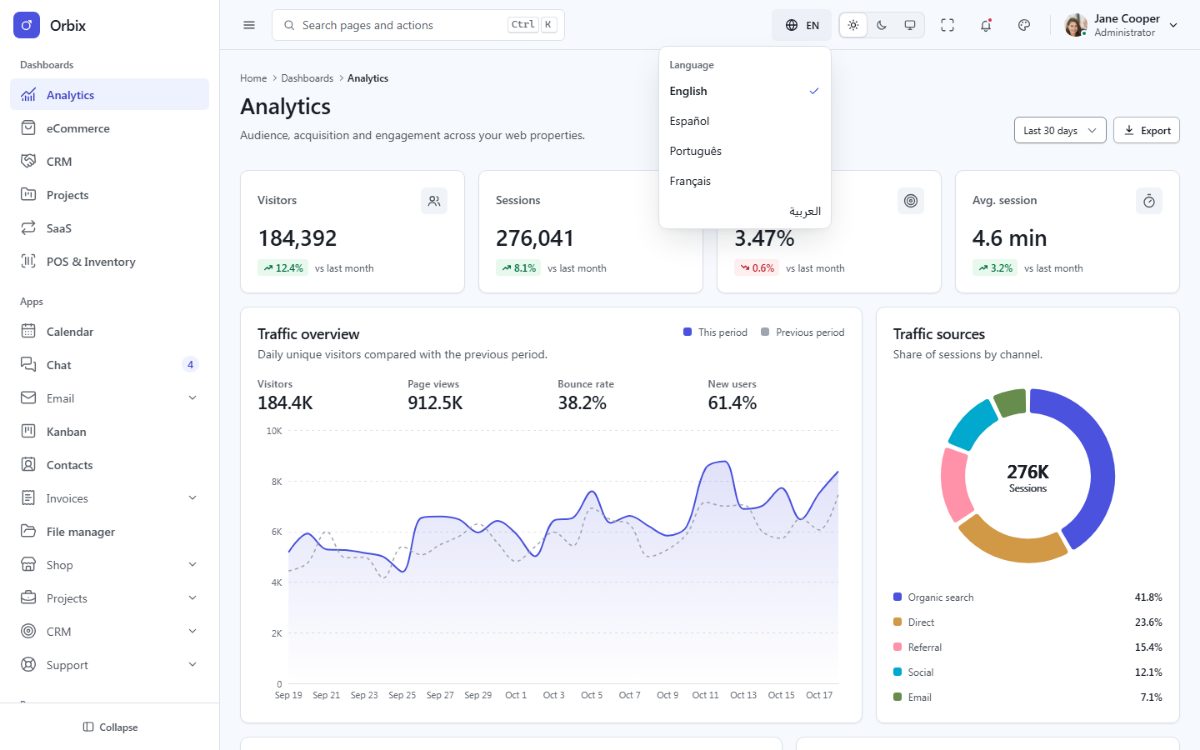
How it works
- Translations live in
lang/<locale>.jsonwith flat keys:"common.actions.save": "Save". - Blade prints them with
{{ __('common.actions.save') }}. - The same files feed the in-page translator (i18next), so the language menu translates the page instantly,
without a reload. Elements carry the key in
data-i18n(text) ordata-i18n-attr(attributes):
<button type="button" class="fd-btn fd-btn--primary">
  <span class="fd-btn__label" data-i18n="common.actions.save">{{ __('common.actions.save') }}</span>
</button>
<input class="fd-input" type="search" placeholder="{{ __('common.actions.search') }}" data-i18n-attr="placeholder:common.actions.search">- The choice is saved in the session (
POST /locale), so the next page is rendered by Laravel in the same language.GET /locale/{locale}works without JavaScript, and demo links accept?lang=es. - The default language is
APP_LOCALEin.env.
Placeholders and plurals
Placeholders use the Laravel syntax: "greeting": "Welcome back, :name" and {{ __('greeting', ['name' => $user->name]) }}.
Plurals use _one / _other keys (Arabic also _zero, _two, _few, _many) and the ox_text() helper:
"tasks.count_one": ":count task",
"tasks.count_other": ":count tasks"
{{ ox_text('tasks.count', ['count' => $tasks]) }}Add a language
Copy
lang/en.jsontolang/de.jsonand translate the values (keep the keys).Register it in
config/orbix.php:'de' => ['name' => 'Deutsch', 'dir' => 'ltr'],Add it to the language menus in
resources/views/components/shell/topbar.blade.phpandresources/views/components/auth/controls.blade.php(copy one of the existing entries and changedata-fd-lang,langand the label).Add it to
LANGUAGESinresources/js/core/i18n.ts:['en', 'es', 'pt', 'fr', 'ar', 'de'].Run
npm run buildandphp artisan test– the translation tests check that every language has every key.
For a right-to-left language (Hebrew, Persian, Urdu) use 'dir' => 'rtl'; no other change is needed.
Remove a language
Delete its entry from config/orbix.php, the two language menus and LANGUAGES, then delete lang/<locale>.json.
Translating your own texts
Never write visible text directly in a view: always use a key, so every language stays complete. The test
HardcodedTextTest fails when a visible text is not translated (demo content inside data-demo elements is
allowed). Keep the keys sorted by area (reports.sales.title) to find them easily.