Charts
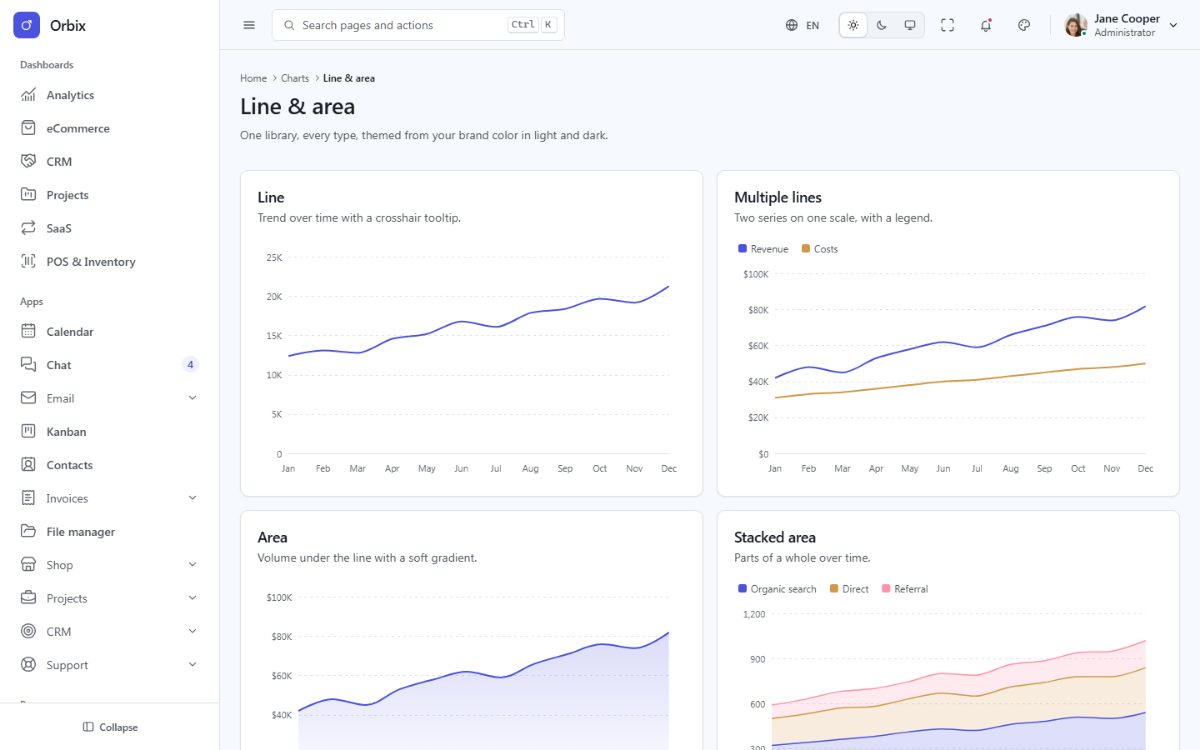
Charts use Apache ECharts, bundled locally and tree-shaken (line, bar, pie, radar, scatter, gauge, funnel and heatmap charts, SVG renderer). Every chart reads its colors from the design tokens, so it follows the brand preset, the dark mode, the language (number formats) and the text direction, and resizes with its container.
Add a chart
1. A container in the Blade view (give it an accessible name):
<section class="fd-card">
  <div class="fd-card__body">
    <div class="fd-chart" id="sales-chart" role="img" aria-label="{{ __('reports.sales.chart') }}"></div>
  </div>
</section>
2. The chart in the page script (module="reports" on the layout):
// resources/js/pages/reports.ts
import { chart } from '../core/charts.ts';

const months = ['Jan', 'Feb', 'Mar', 'Apr', 'May', 'Jun'];

export function init(): void {
  chart('#sales-chart', (c) => ({
    xAxis: c.category(months),
    yAxis: c.value(c.fmt.compactCurrency),
    series: [
      { type: 'bar', name: 'Online', data: [42, 51, 48, 62, 70, 78], itemStyle: { color: c.colors[0] } },
      { type: 'line', name: 'Stores', data: [30, 32, 35, 33, 38, 41], itemStyle: { color: c.colors[1] } },
    ],
  }));
}
The callback receives a context c with the themed colors (c.colors – the categorical palette, c.primary,
c.success, c.text, c.border...), axis helpers (c.category(), c.value()) and locale-aware formatters
(c.fmt). It runs again whenever the theme, the language or the direction changes, so never cache colors
outside it.
3. Update the data later (for example after a period filter) and call refreshCharts():
import { refreshCharts } from '../core/charts.ts';
refreshCharts();
More examples
The Charts pages (line and area, column and bar, mixed, pie/donut/gauge, radar/scatter/bubble) and the six
dashboards contain more than 35 ready-made charts: their options are in resources/js/pages/charts.ts and
resources/js/pages/dashboards/. To use another ECharts chart type, register it in
resources/js/core/charts.ts (echarts.use([...])).