Starter kit
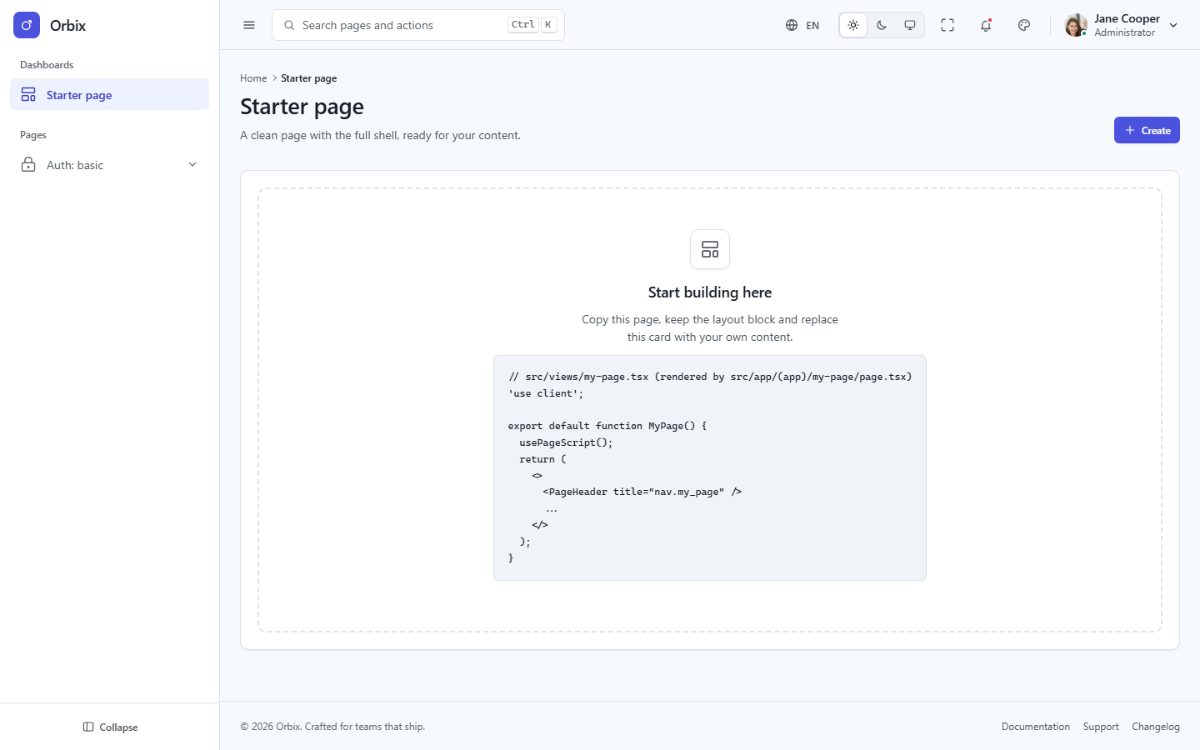
orbix-next-starterkit/ is the same Next.js application without the demo pages: start a new project from it and
copy pages or components from the full template when you need them.
What it includes
- The application shell: sidebar, topbar, footer, page header, theme customizer, command palette, notifications and language menus.
- The root layout, the client root and the
app,authandblanklayouts with their route groups (src/app/(app),(auth),(blank)). - The nine basic authentication pages (sign in, sign up, forgot and reset password, lock screen, two-step verification, email verification, signed out, success).
- One empty start page at
/and the not-found page for unknown URLs (404.htmlin the static export). - The Bootstrap 5 CSS engine, the five languages with RTL, the theme runtime, the hooks and the test suite.
What it leaves out: the demo pages, the components and page scripts only they use, the demo data and the chart
library. Menu links to removed pages point to # until you add your own.
Install
Exactly as the full template (see Installation):
cd orbix-next-starterkit
npm install
npm run dev
Bring a page from the full template
- Copy the view from
orbix-next/src/views/...and its route file fromorbix-next/src/app/(group)/.../page.tsxto the same folders of the starter kit. - Copy the components it imports (
@/components/apps/ProductCard→src/components/apps/ProductCard.tsx). - Add its line to
src/config/pages.tsand its menu entry tosrc/config/menu.ts. - Every translation file of the full template is already in the starter kit (
src/locales/). - If it calls
usePageScript(init), copy the script fromsrc/scripts/(andsrc/data/for demo data). For charts, also copysrc/core/charts.tsandsrc/hooks/useChart.tsand runnpm install echarts. - Run
npm run buildandnpm test.
Connect authentication
The auth pages are screens only, so you can plug in the authentication you prefer (your API, Auth0, Firebase,
Supabase, Clerk...). The sign-in form validates its fields in src/scripts/auth.ts and then navigates to
data-auth-next (the dashboard). To call your API instead, handle the submit in the page:
// src/views/auth/basic/sign-in.tsx
import { useRouter } from 'next/navigation';

const router = useRouter();

async function onSubmit(event: React.FormEvent<HTMLFormElement>) {
  event.preventDefault();
  const data = new FormData(event.currentTarget);
  const response = await fetch('/api/login', { method: 'POST', body: data, credentials: 'include' });
  if (response.ok) router.push('/');
}
Pass onSubmit to the form in src/components/auth/AuthSignIn.tsx (and remove data-auth-form there so the demo
validation does not run), keep the input name attributes your API expects (email, password, remember), and
protect your pages in the layout of their route group: in src/layouts/AppLayout.tsx, check the session in the
browser and call router.replace('/auth/basic/sign-in') when there is none (works with the static export). With
the server build you can also add a middleware.ts that redirects requests without a session cookie.