Starter kit
orbix-angular-starterkit/ is the same Angular application without the demo pages: start a new project from it and
copy pages or components from the full template when you need them.
What it includes
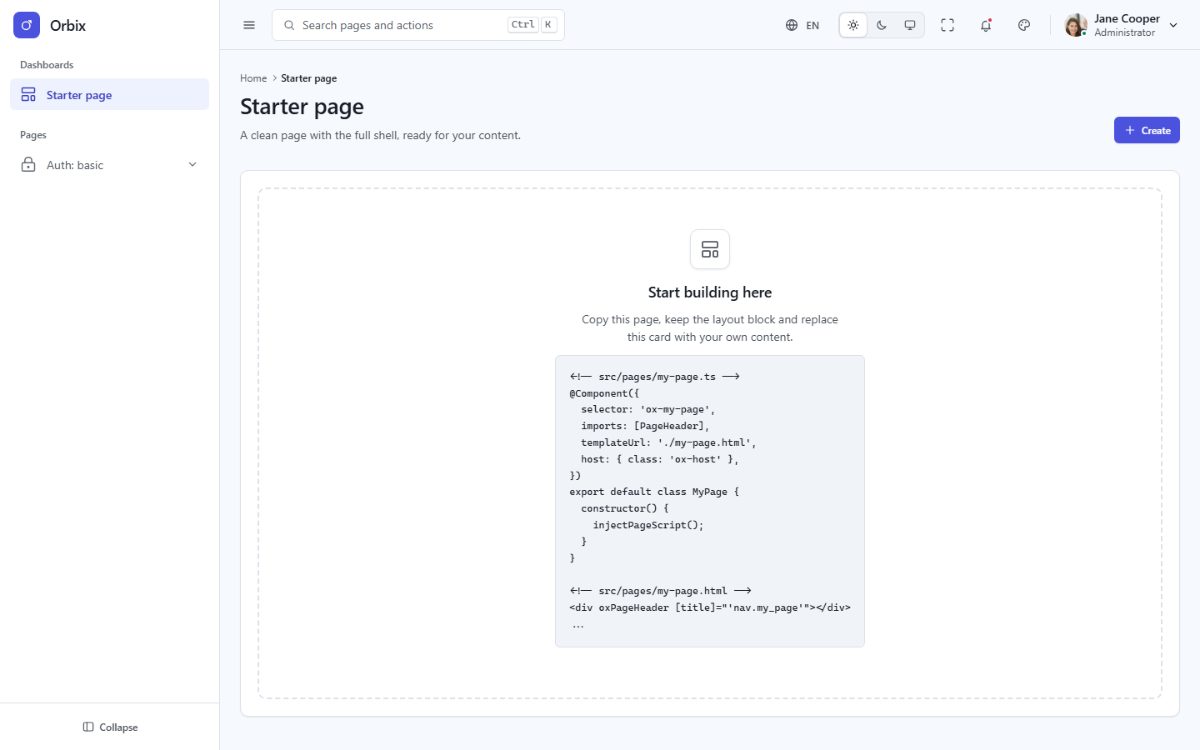
- The application shell: sidebar, topbar, footer, page header, theme customizer, command palette, notifications and language menus.
- The
app,authandblanklayouts and the router. - The nine basic authentication pages (sign in, sign up, forgot and reset password, lock screen, two-step verification, email verification, signed out, success).
- One empty start page at
/; unknown URLs return to it. - The Tailwind CSS CSS engine, the five languages with RTL, the theme runtime, the page lifecycle, the
oxAttrs,oxDataGridandoxCalendardirectives and the test suite.
What it leaves out: the demo pages, the components and page scripts only they use, the demo data and the chart
library. Menu links to removed pages point to # until you add your own.
Install
Exactly as the full template (see Installation):
cd orbix-angular-starterkit
npm install
npm start
Bring a page from the full template
- Copy the page component (
.tsand.html) fromorbix-angular/src/pages/...to the same folder of the starter kit. - Copy the components it imports (
@/components/apps/product-card→src/components/apps/product-card.tsand.html). - Add its line to
src/app/pages.tsand its menu entry tosrc/app/menu.ts. - Every translation file of the full template is already in the starter kit (
src/locales/). - If it calls
injectPageScript(init), copy the script fromsrc/scripts/(andsrc/data/for demo data). For charts, also copysrc/core/charts.tsandsrc/directives/chart.tsand runnpm install echarts. - Run
npm run buildandnpm test.
Connect authentication
The auth pages are screens only, so you can plug in the authentication you prefer (your API, Auth0, Firebase,
Supabase, Clerk...). The sign-in form validates its fields in src/scripts/auth.ts and then navigates to
data-auth-next (the dashboard). To call your API instead, handle the submit in the form component
(src/components/auth/sign-in.ts and sign-in.html):
// src/components/auth/sign-in.ts
private readonly router = inject(Router);

protected async onSubmit(event: SubmitEvent): Promise<void> {
  event.preventDefault();
  const data = new FormData(event.target as HTMLFormElement);
  const response = await fetch('/api/login', { method: 'POST', body: data, credentials: 'include' });
  if (response.ok) await this.router.navigateByUrl('/');
}
<!-- src/components/auth/sign-in.html -->
<form class="fd-form" novalidate (submit)="onSubmit($event)">
<!-- the fields of the sign-in form -->
</form>Remove data-auth-form from that form so the demo validation does not run, keep the input name attributes your
API expects (email, password, remember), and protect your pages with a guard on the app layout route of
src/app/app.routes.ts that checks the session:
// src/app/app.routes.ts: on the route of the 'app' layout
canActivateChild: [() => inject(Session).isSignedIn() || inject(Router).parseUrl('/auth/basic/sign-in')],